Go deeper
The lead reply and follow-ups from these lessons, as importable n8n workflows that prepare drafts for you to send.
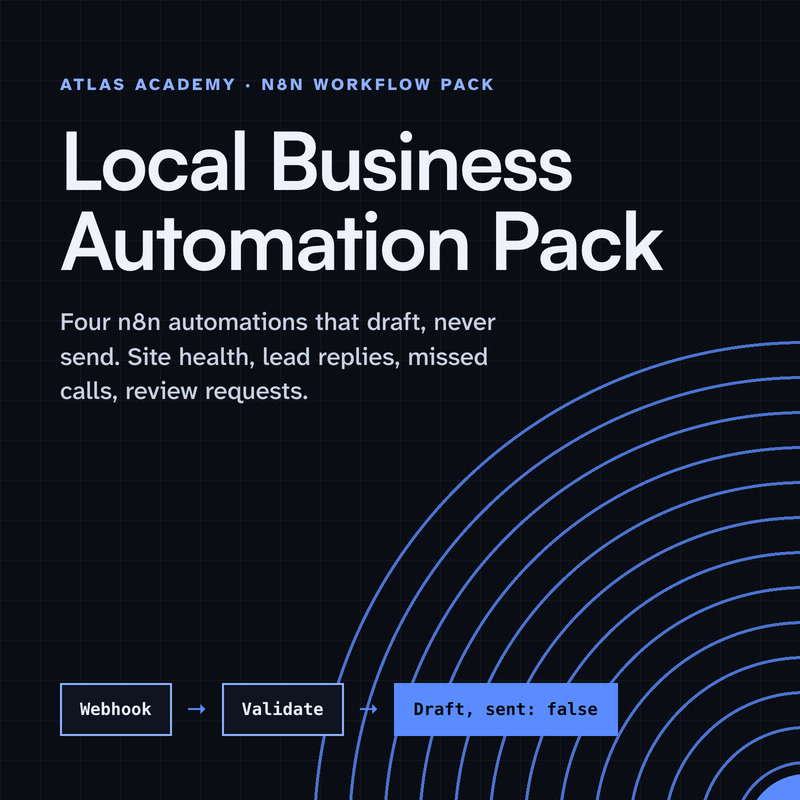
Workflow pack
Four n8n automations for a local business that prepare drafts for you to check and send yourself: a site health check, a lead-form reply, a missed-call text-back and a review request, with a guide that explains every node.
- Level
- Some setup: Docker
- Format
- PDF, Files (zip)
- You need
- A computer that can run Docker, about an hour, no programming
Next lesson
Coming next: sorting your inbox with AI, with replies you approve
All lessons in AI Automation for Small Business
Lesson script
The lesson's script, line by line. The published video's own lines are not on record here, so the video may differ in places.
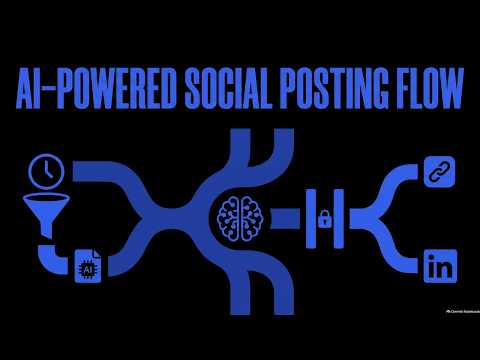
It starts with a plain sheet. Three columns: the date to post, the topic, and a status.
You fill in topics when ideas come. Set the status to ready when it's good to go.
Anything still marked draft is skipped. You stay in charge of what's planned.
Add a Schedule Trigger that runs every day, at nine in the morning.
Then Google Sheets, Get Rows, which reads every row of the sheet. Connect your Google account once, as a credential.
Add a Filter with two conditions joined by AND: the date is today, and the status is ready. Every other row is dropped.
Next, a Basic LLM Chain. Connect a chat model to it, or it won't do anything.
Set the prompt to Define below, and drag in the topic. Something like: write a short caption about this.
Then use a system message for your tone. Friendly, short, no prices, no promises. Your rules go here.
Quick quiz. Today's row still says draft. What happens to it? Comment your answer.
B. The Filter skips it. Only ready rows for today go any further.
Here's the important bit. Add a Slack node, with Send and Wait for Response, and put the caption in the message.
Set the response type to Approval. The workflow stops right there, and waits for a click. Approve, or Decline. Your call, every single time.
And restrict who can approve to you. Leave it empty, and anyone in the channel could say yes.
If this takes posting off your to-do list, subscribe.
After the approval, add an If node: approved is true. Only that path carries on.
On it, a LinkedIn node: Post, Create, as you or as your company, with the caption as the text.
Then update the sheet row to posted. Declined? Nothing is posted, and you can rewrite it, and set the row back to ready for another day.
Pause the video and add one row to your sheet, dated today, marked ready.
Run the workflow by hand, approve the caption in Slack, and resume.
You click Approve, and nothing happens. The usual cause is where n8n runs.
Slack has to call your n8n back over public HTTPS. On your own laptop, at localhost, it can't reach you.
And the Slack credential needs your app's signing secret. Without it, the buttons show, but clicks don't resume the workflow.
Before you trust it, read each caption the way a customer would. Does it sound like you? If not, change the system message.
Then publish the workflow. A Schedule Trigger only runs a published workflow, so until then, nothing happens at nine.
And watch the first week yourself. Approve slowly. Decline anything you wouldn't say in person.
Last quiz. Nobody clicks anything. Does the post go out? Comment.
B, no. The workflow waits, and only an approved caption reaches the LinkedIn node.
Recap. A plain sheet holds the whole plan: the date, the topic and the status.
Every morning, n8n picks today's rows that are ready.
A Basic LLM Chain drafts the caption, in your tone.
And Slack waits for your approval before anything is posted. AI does the typing. You keep the final say. Next time: sorting your inbox with AI, with replies you approve.