Go deeper
Put Claude to work on your own business notes: a starter vault with templates, a weekly review and prompts.
Kit
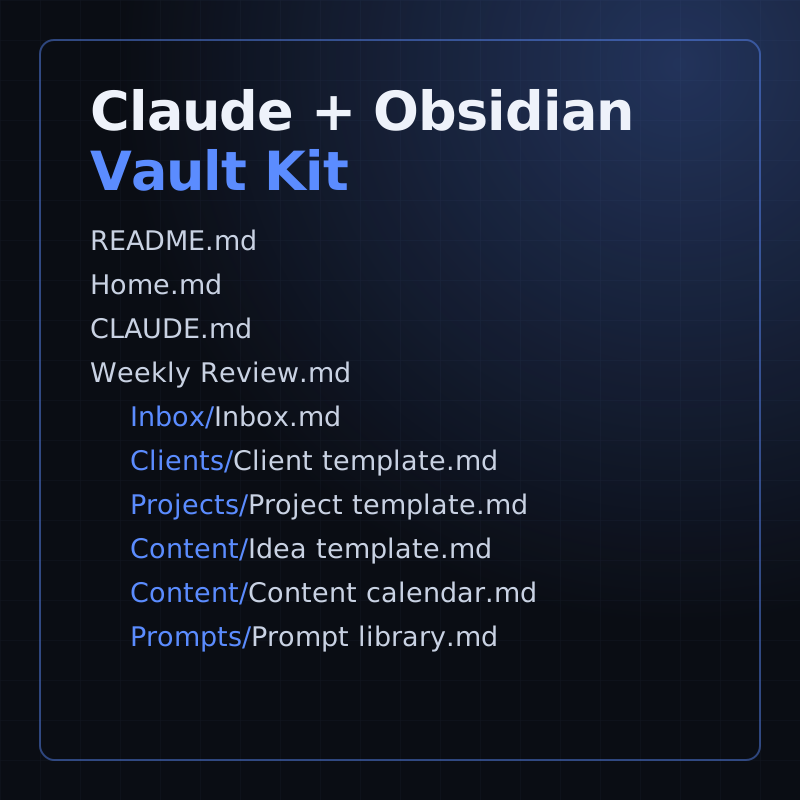
A starter Obsidian vault for running a small business with Claude: templates, a weekly review and 16 prompts.
- Level
- Beginner, no code
- Format
- Files (zip)
- You need
- Obsidian, and your own Claude access
Next lesson
Coming next: skills, MCP, subagents and hooks, and when to use which
All lessons in Claude Mastery: MCP, Skills & Connectors
Lesson script
The lesson's script, line by line. The published video's own lines are not on record here, so the video may differ in places.
Two kinds of MCP server. A local one runs on your own device, like the ones we've built so far.
A remote one is hosted on the internet, at a web address. It speaks a transport called Streamable HTTP.
And because it's online, Claude can reach it from every app: the web, the desktop, your phone, and Claude Code.
Before you write any tools, decide how people get in. The first way is OAuth: each person signs in with their own account.
The second is one fixed key, sent in a header. Handy for one shared internal tool.
The third is no sign-in. Anyone with the address gets in. Fine for public data, never for customer data.
Quick quiz. Each person must see only their own orders. Which way in? Comment your answer.
C, OAuth. Everyone signs in as themselves, so the server knows who's asking.
So how does Claude know to sign in? The server answers its first request with a 401, unauthorized. That status is required.
And with it, a header pointing to a small document that names your sign-in server. Claude reads it, and starts the OAuth flow.
If you'd like the rest of these Claude lessons, subscribe.
Your sign-in server has to send people back to Claude. For the Claude apps, that's one fixed callback address on claude.ai.
Claude Code comes back to localhost instead, on a port that changes each session. So allow any port.
And Claude can register itself with your sign-in server, using Dynamic Client Registration. One less thing for you to set up.
In Claude, open Customize, then Connectors, and choose Add custom connector. Paste the server's address, and click Add. On the free plan, you get one.
In Claude Code, it's claude mcp add, with transport http, a name, and the address. Then type slash mcp, and sign in in your browser.
Pause the video and pick one remote MCP server from a company you trust.
Add it as a custom connector, sign in, and resume.
Now, keeping it safe. A key never goes in your code, or in a file you commit.
In a shared.mcp.json, write dollar, brace, API key, brace. Claude Code fills in the real value from your machine.
Sign-in tokens are stored securely and refreshed for you. To cut access off, open slash mcp and choose Clear authentication.
A classic failure. Your MCP server sees Claude's request, but your sign-in server sees nothing at all.
That means Claude never found the pointer. Check the server answers 401, with that header.
And check the document's resource matches the address people type, path and all.
Last quiz. Your server replies 200, okay, but includes the sign-in header. Does sign-in start? Comment.
B, no. Claude needs the 401. On a 200, it ignores the header.
Recap. A custom connector is a remote MCP server, online, over Streamable HTTP.
With OAuth, everyone signs in as themselves.
Sign-in starts when the server answers 401, pointing to its sign-in server.
And you add it by its address, with keys kept out of your code. Only connect servers you trust. Next time: skills, MCP, subagents and hooks, and when to use which.