Go deeper
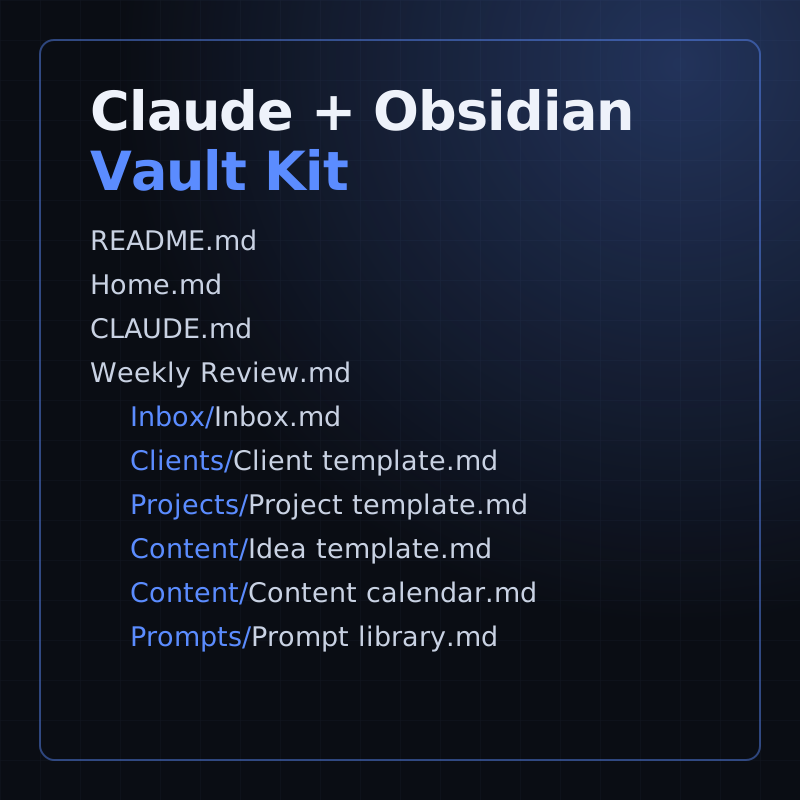
Put Claude to work on your own business notes: a starter vault with templates, a weekly review and prompts.
Kit
A starter Obsidian vault for running a small business with Claude: templates, a weekly review and 16 prompts.
- Level
- Beginner, no code
- Format
- Files (zip)
- You need
- Obsidian, and your own Claude access
Next lesson
Claude Code Subagents Tutorial: Specialists That Work for You
All lessons in Claude Mastery: MCP, Skills & Connectors
Lesson script
The lesson's script, line by line. The published video's own lines are not on record here, so the video may differ in places.
So what is a skill? It's a file called SKILL.md, with instructions in it. Claude adds it to its toolkit.
Claude uses it by itself when it's relevant to what you ask.
Or you call it yourself, with a slash and the skill's name.
Each skill gets its own folder. A personal skill sits in the skills folder inside your home.claude folder, and works in all your projects.
A project skill sits in.claude, skills, inside the project. Commit it, and your team gets it too.
And plugins can bring their own skills with them.
Quick quiz. You want everyone on your team to get a skill. Where do you put it? Comment your answer.
It's B, the project's skills folder, committed with the code.
Here's our skill. The top part, between the three dashes, is the front matter. The dashes must be the very first line.
The name becomes the slash command. Leave it out, and the folder name is used.
The description is the important bit. It says what the skill does, and when to use it.
Below that go the instructions, in plain words. Notice the last rule: never guess a date or an owner.
If you'd like more of these short Claude lessons, subscribe.
Why does the description matter so much? Because Claude always sees it, even when the skill isn't running.
The rest of the file loads only when the skill is used. So a long skill doesn't crowd every chat, and you can have lots of them.
Write it with the words people really say, like meeting notes, or minutes. Claude can't read your mind, only your description.
Pause the video and make the folder:.claude, skills, meeting notes.
Save the file inside it as SKILL.md, copying the front matter from the screen. Resume when it's saved.
A skill can be more than one file. Put long details in a reference file next to it, and Claude opens it only when needed.
Scripts can live there too. Claude runs them, rather than reading them in.
Mention each file in SKILL.md, so Claude knows it's there. And keep SKILL.md itself short, under five hundred lines.
Now try it. Paste some notes and ask Claude to turn them into minutes. No restart needed, it picks up new skills right away.
Or run it yourself, by typing slash meeting notes. That works even when your request doesn't match the description.
Claude ignores it? Check the description has the words you used, or rephrase your request.
If the front matter doesn't parse, start Claude with the debug flag, and it shows the error. And the opposite problem? If it runs when you don't want it, make the description more specific.
Last quiz. Claude never picks up your skill. What do you check first? Comment.
B, the description. That's what Claude reads to decide.
Recap. A skill is a SKILL.md file, in its own folder.
Put it in the project, and your whole team gets it.
The description decides when Claude uses it, so write it with care.
And test it by asking, or by running it by name. Write instructions once, and stop repeating yourself. Next time: Claude Code subagents, little specialists that work for you.