Go deeper
Put Claude to work on your own business notes: a starter vault with templates, a weekly review and prompts.
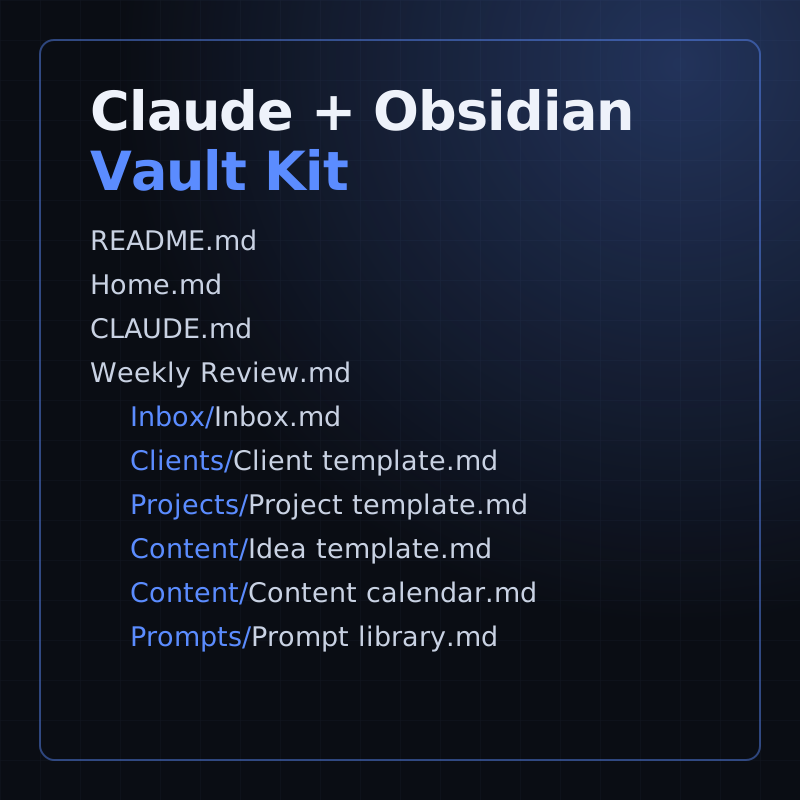
Kit
A starter Obsidian vault for running a small business with Claude: templates, a weekly review and 16 prompts.
- Level
- Beginner, no code
- Format
- Files (zip)
- You need
- Obsidian, and your own Claude access
Next lesson
Claude Code Hooks Tutorial: Automate Checks with PreToolUse and PostToolUse
All lessons in Claude Mastery: MCP, Skills & Connectors
Lesson script
The lesson's script, line by line. The published video's own lines are not on record here, so the video may differ in places.
A subagent is a helper with its own context window. It starts fresh, away from your main conversation.
It gets its own instructions, its own tools and its own permissions. So a proofreader can be allowed to read, and nothing else.
And when it's done, you get its answer, not every file it read. Your main chat stays nice and tidy.
Each subagent is one markdown file. Put it in.claude, agents, inside a project, and it belongs to that project.
Put it in the agents folder in your home.claude folder, and it works in all your projects.
And plugins can come with subagents of their own.
Here's our proofreader. Name and description are the only two fields you must have. The description tells Claude when to hand a job over.
Tools lists what it may use. Leave it out, and it gets every tool. Ours can only read and search.
Model picks which Claude it runs on.
Below the dashes is its system prompt: who it is, and what it must never do. Ours never edits a file.
Quick quiz. You write a subagent with no tools line at all. What can it use? Comment your answer.
B, every tool. That's why we list only the ones it needs.
If you're enjoying these Claude lessons, subscribe.
There are three ways to use it. First, do nothing. Claude reads the description and hands the job over when it fits.
Second, ask for it by name, like: use the proofreader on the new page. Claude still decides. Want it to step in on its own more often? Put use proactively in its description, like we did.
Third, at-mention it. That guarantees it runs, for that one task.
Pause the video, and save the proofreader file in your project's agents folder.
Then ask Claude to use it on one file. Resume when it reports back.
Subagents can run in two ways. In the foreground, your chat waits until it's done. You can also send a running one to the background with Control B.
In the background, it works while you carry on. For separate questions, Claude can run several at the same time. A little team.
And some come built in, like Explore, which searches your code without changing anything. Each one uses your plan's limits, so don't overdo it.
Subagent not showing up? First, check it has a description. Without one, the file is skipped.
Start Claude with the debug flag, and the log says why a file was skipped.
And if you just made the personal agents folder for the first time, restart Claude Code once. After that, edits are picked up by themselves.
Last quiz. You need the proofreader to run on this task, for sure. What do you do? Comment.
B, at-mention it. Asking by name lets Claude decide; a mention doesn't.
Recap. A subagent works in its own context, and reports back.
It's one markdown file in your agents folder.
Only the name and the description are required, but give it just the tools it needs.
And Claude uses it from its description, when you name it, or when you mention it. A specialist, in one file. Next time: Claude Code hooks, automatic checks that run while Claude works.