Go deeper
Put Claude to work on your own business notes: a starter vault with templates, a weekly review and prompts.
Kit
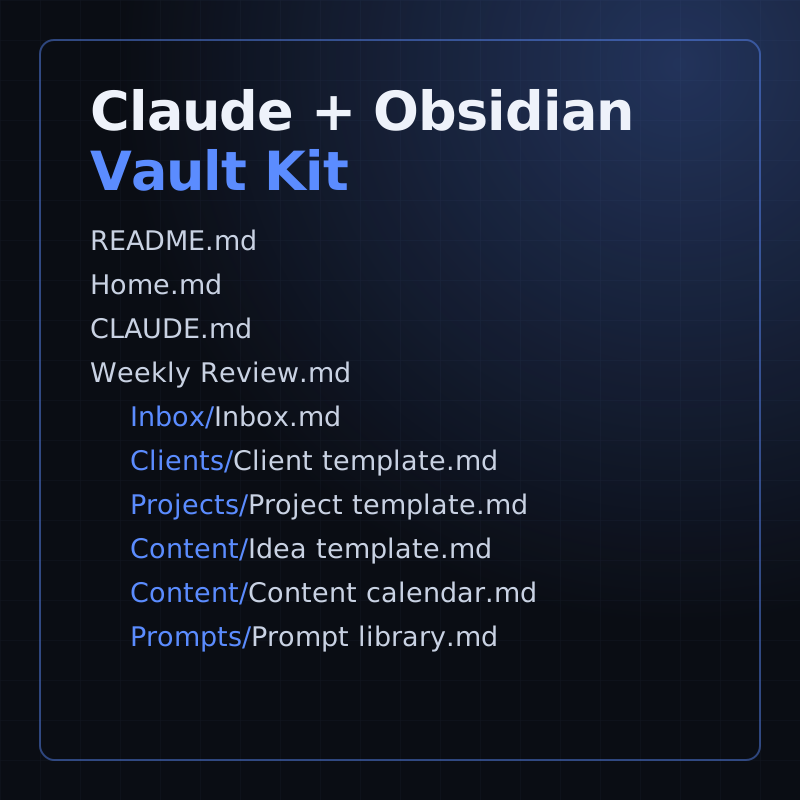
A starter Obsidian vault for running a small business with Claude: templates, a weekly review and 16 prompts.
- Level
- Beginner, no code
- Format
- Files (zip)
- You need
- Obsidian, and your own Claude access
Next lesson
Build a Custom Claude Connector: a Remote MCP Server with OAuth (Beginner Guide)
All lessons in Claude Mastery: MCP, Skills & Connectors
Lesson script
The lesson's script, line by line. The published video's own lines are not on record here, so the video may differ in places.
So what's a hook? It's a shell command you write, like a script or a one-liner.
Claude Code runs it at a set moment: say, just before Claude edits a file, or just after.
And it isn't up to Claude. A skill is advice Claude can weigh up. A hook simply runs.
Hooks go in a settings file. The one in your home folder covers every project on your machine.
The one inside the project's.claude folder covers just that project, and you can commit it for your team.
And typing slash hooks in Claude Code lists every hook it found, grouped by the moment it runs. Handy when you've forgotten what you set up.
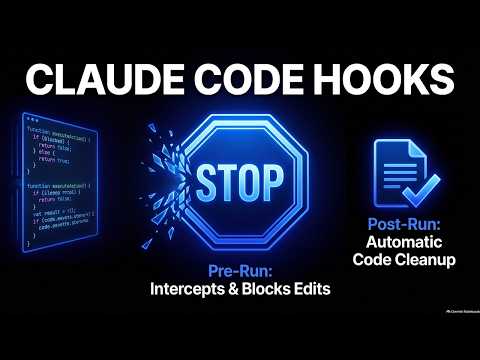
There are lots of moments to hook into. Today, two. PreToolUse runs before Claude uses a tool, and it can stop it.
PostToolUse runs after the tool has worked. Perfect for tidying up.
And a matcher says which tools count. Edit, bar, Write means only when Claude edits or writes a file.
Quick quiz. You want to stop an edit before it happens. Which event? Comment your answer.
B, PreToolUse. PostToolUse runs after, when the edit's already done.
Here's the project's settings file. The PreToolUse entry runs our protect files script before any edit.
The PostToolUse entry runs Prettier, a code formatter, on the file Claude just wrote. Tidy files, without asking.
If you'd like the rest of these Claude lessons, subscribe.
Now the script. Claude Code hands it the details as JSON, and jq pulls out the file path.
Then it checks the path against a short list: the env file, the lock file, and the git folder.
If one matches, it writes Blocked, and why, then exits with code two. That stops the edit.
Otherwise it exits with zero, and nothing changes. One more thing: the script must be executable, or it can't run at all.
Exit codes are how a hook answers. Zero means no objection. It doesn't approve anything, your usual permissions still apply.
Two means block it. Whatever you wrote goes to Claude, so it can try another way.
Any other code is an error, and the action goes ahead. So for a hard stop, it must be two.
Pause the video and save the script in your project's hooks folder.
Make it executable with chmod plus x, add it to your settings file, and resume.
Now test it. Ask Claude to add a comment to your env file.
Blocked, with your message. Claude reads it, and leaves the file alone.
Hook never fires? Open slash hooks and check it's there. Matchers care about capitals, so edit, lower case, won't match.
Seeing an error instead? Pipe a little test JSON into the script yourself, or start Claude with the debug flag to read the full message.
Last quiz. A PostToolUse hook exits with two. Is the edit undone? Comment.
B, no. The tool already ran. Claude sees your message, but blocking belongs in PreToolUse.
Recap. A hook is your own command, and it runs every single time.
Project hooks live in the project's settings file, and travel with it.
PreToolUse can block a tool. PostToolUse cleans up after it.
And exit code two is the stop sign, with a reason Claude can read. Your rules, kept every time. Next time: building your own Claude connector, safely.