Go deeper
An agent you build and run yourself, which picks from a closed list of actions and asks before it acts. Needs some Python.

Course
Build an AI agent for your business that picks actions from a closed list you define, waits for your approval on anything you haven't cleared to run alone, and refuses five kinds of action in code: moving money, DNS, deleting, revoking keys and changing itself.
- Level
- Builder: Python
- Format
- Video lessons, PDF, Files (zip)
- You need
- Some Python, or the patience to learn it with Claude beside you
Next lesson
NVIDIA DGX Spark Explained: What 128 GB Unified Memory Really Means
All lessons in Local AI: Hermes Agent on NVIDIA DGX Spark
Lesson script
The lesson's script, line by line. The published video's own lines are not on record here, so the video may differ in places.
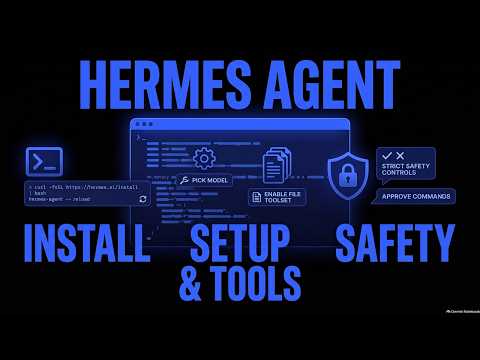
Open a terminal and paste the official one-line installer from the Hermes README. It's on screen, and in the description. It works on Linux, macOS and WSL2.
When it finishes, reload your shell, with source and your bash or zsh file, or simply open a new terminal. Skip this, and the hermes command won't be found yet.
On native Windows or Android, use their own installers from the same page instead.
Now type hermes setup. It's a wizard that walks you through everything at once. Take your time here; you can change any of it later.
To change the model later, run hermes model. You can use Nous Portal, OpenRouter, OpenAI, or your own endpoint. Hermes is the agent; the model is your choice.
Quick quiz. The install finished, but the terminal says hermes, command not found. Most likely? Comment your answer.
B. The shell hasn't reloaded its PATH yet. Source your shell file, or open a new terminal.
Tools come in groups called toolsets, like web, terminal and file. Run hermes tools to choose them.
Turn on the file toolset, so Hermes can read files. That's all our first task needs.
And leave the others off for now. One tool you understand beats twenty you don't.
If you're setting up your own agent with me, subscribe.
Make a test folder with a few text notes in it, and move into it in the terminal. Use copies, never your only version of anything.
Type hermes to start chatting. You're now talking to your agent, right in the terminal.
Then ask it to summarise the notes in this folder. It reads them with its file tool, and answers. Your agent's first job, done.
Pause the video and install Hermes, run setup, and turn on one toolset.
Then ask it about your test folder. Resume when it answers.
Before Hermes runs a command, it checks it against a list of dangerous patterns, like deleting folders.
If one matches, it asks you: once, for this session, always, or deny. When in doubt, deny. Always means it's saved for good, so keep that one for commands you know well.
And if you don't answer in time, the command is denied. Silence never counts as a yes. That's exactly how an agent should behave.
Something off? Command not found means the shell needs reloading.
A key that doesn't work, or a model that isn't found? Run hermes model again and pick it fresh. Most of the time, that's the whole fix.
And for anything else, hermes doctor diagnoses the problem for you.
Last quiz. Hermes asks to run a command you don't recognise. What do you pick? Comment.
B, deny. And walking away would deny it too, after the timeout. Ask it what the command does first, if you're curious.
Recap. Install with the one-line script, then reload your shell.
Hermes setup walks you through it, and hermes model picks the model.
Hermes tools turns on one toolset, the file tools, to start. Add more only when you need them.
And approvals and the doctor command keep things safe. Your own agent, installed and working. Next time: NVIDIA's DGX Spark, and what its unified memory really means.