Practice check
Lab: every day at nine
Free lab file, no sign-up:
- Do
- Import n8n-every-day-at-nine.json
- Expect
- Your screen should show: Execute workflow: "Good morning! Today is …"
- Stuck?
- Never runs at nine? Publish it · check the time zone
- Challenge
- Make it run on Mondays only
Go deeper
The same n8n editor, with ready automations for a local business and a guide that explains every node.
Workflow pack
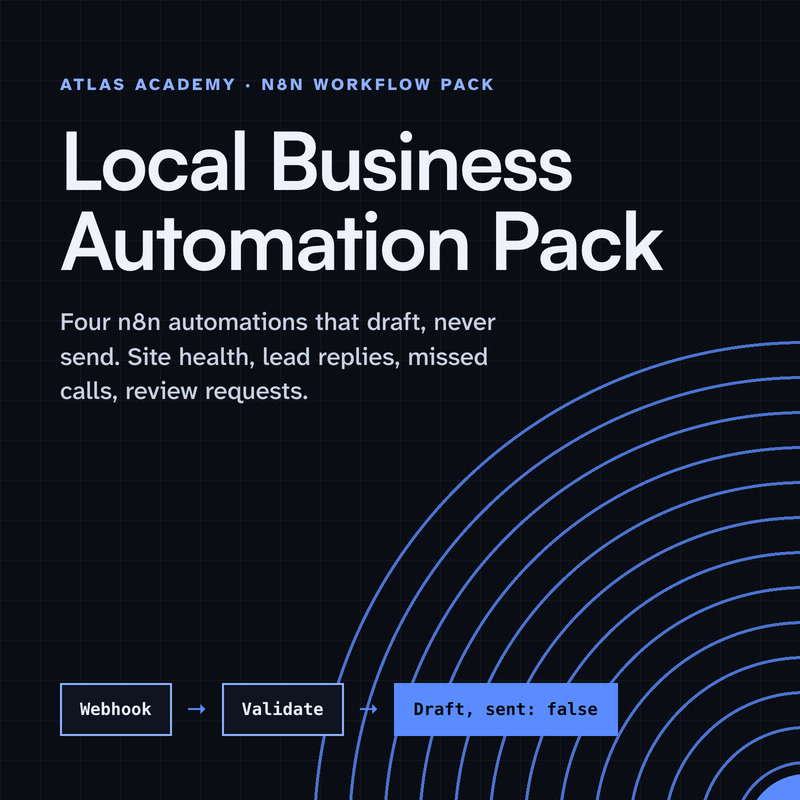
Four n8n automations for a local business that prepare drafts for you to check and send yourself: a site health check, a lead-form reply, a missed-call text-back and a review request, with a guide that explains every node.
- Level
- Some setup: Docker
- Format
- PDF, Files (zip)
- You need
- A computer that can run Docker, about an hour, no programming
Next lesson
Managing n8n Workflows: Executions, Retries, Publish, History and Tags
All lessons in n8n Workflows from Zero
Lesson script
The lesson's script, line by line. The published video's own lines are not on record here, so the video may differ in places.
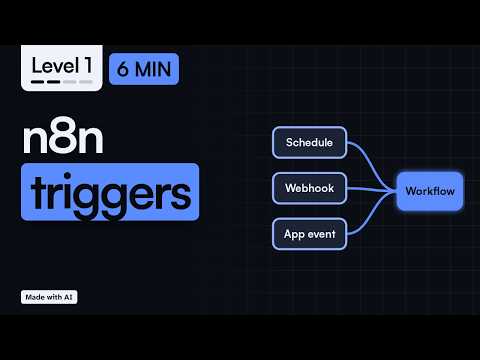
A quick reminder. The trigger is the first node, and it's the thing that starts each run. Without it, nothing happens. It's the key in the ignition.
It also hands over the first piece of data, like the form answers or the email, to the next node.
And for real use, the workflow must be published. While you build, you test it by hand. Once it's published, the trigger listens by itself.
The Schedule Trigger runs at times you choose. Pick an interval, like every hour, every day at nine, or every Monday.
For anything unusual, there's a custom cron option, a short code for times. The docs point to a free cron helper site if you need it.
One thing to check: the time zone. A nine o'clock report at three in the morning? No thanks. n8n uses the workflow's time zone if you set one, otherwise the instance's. Set it, so nine means your nine.
Quick quiz. You want a report every Monday morning. Which trigger? Comment.
It's A, the Schedule Trigger. A fixed time means a schedule.
The Webhook node gives your workflow its own web address. When anything calls that address, the workflow runs, right away.
That might be a form on your website, a payment app, or another tool that can send a web request. It supports the usual methods, like GET and POST. Most apps send POST, with the data inside.
Remember the two addresses. The test one is for building, and you see the data in the editor. The production one works once you publish.
If triggers are starting to click, subscribe. Next, we manage workflows once they're running.
App triggers are made for one app. Search for the app's name, and if it has a trigger, you'll see it in the list.
Some of them check the app on a timer, every few minutes. That's called polling, so they're not always instant. For most jobs, a few minutes late is perfectly fine. Your inbox will survive.
For example, the Gmail Trigger checks for new mail at the poll times you choose, and starts a run for each message it finds.
Pause the video and try it. Create a workflow and add a Schedule Trigger,
then set it to every day at nine. Resume when it's set.
Here's how to choose. Is the job tied to a time, like every morning or every Friday? Use a schedule.
Will another app or form send you the data, the moment something happens? Use a webhook.
Does it start when something happens inside an app you use? Look for that app's trigger. If there isn't one, a schedule that checks the app works too. And if you're not sure, start with a schedule: it's the easiest to test.
Last quiz. A website form sends you its data. Which trigger? Comment.
B, a webhook. Something calls you. n8n's own Form Trigger works the same way.
Your lab. Download the lab file from the description and import it: a Schedule Trigger, every day at nine, and an Edit Fields node.
Click Execute workflow to test it now. Expect a good morning line with today's weekday.
Stuck? If it never runs at nine by itself, it isn't published yet, or the time zone is wrong. Check the workflow settings.
Your challenge: make it run on Mondays only, then publish it.
Recap. The trigger starts every run, and it only listens once published.
A schedule runs at times you choose. Set the time zone.
A webhook runs when something calls your address.
And an app trigger runs when something happens in that app. Tell me in the comments which one you'll use first. Next time: managing your workflows.