Go deeper
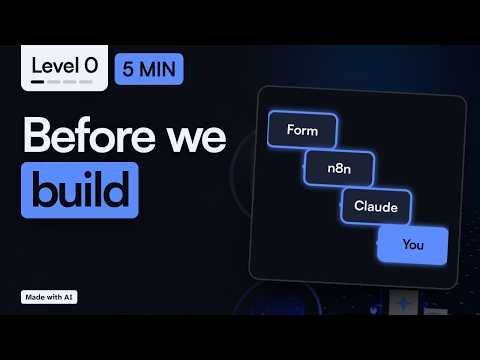
Claude drafts, n8n runs the steps, a person checks: the pack applies that pattern to four everyday business tasks.
Workflow pack
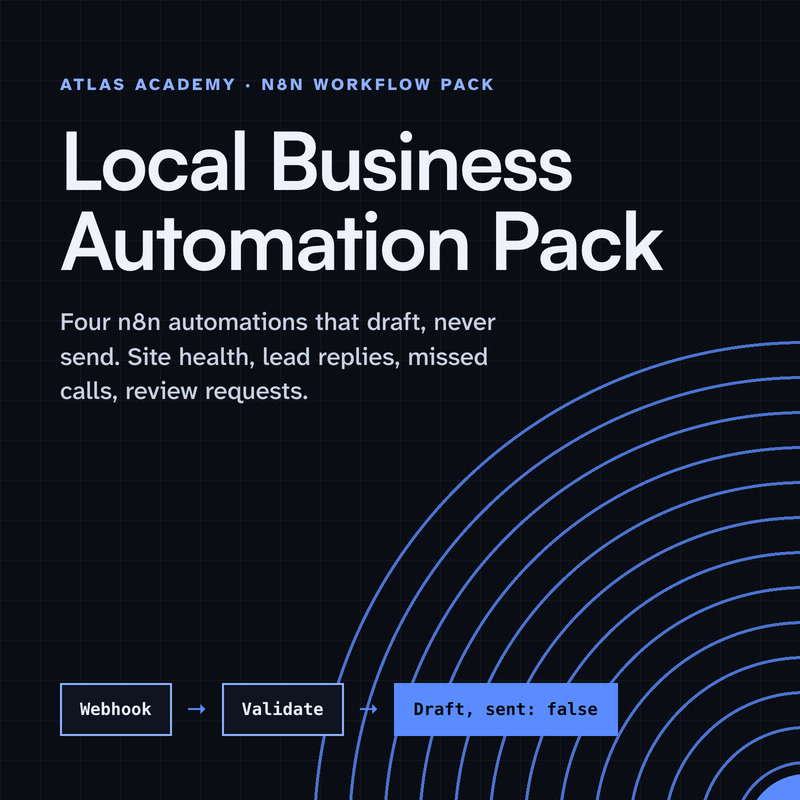
Four n8n automations for a local business that prepare drafts for you to check and send yourself: a site health check, a lead-form reply, a missed-call text-back and a review request, with a guide that explains every node.
- Level
- Some setup: Docker
- Format
- PDF, Files (zip)
- You need
- A computer that can run Docker, about an hour, no programming
Next lesson
Build a Real AI Assistant with Claude + n8n: Plan the Whole Project (2026)
All lessons in Build a Real Project: Claude + n8n
Lesson script
The lesson's script, line by line. The published video's own lines are not on record here, so the video may differ in places.
Let's follow one question. A customer fills in a form on your website and asks something simple, like, do you deliver on weekends?
n8n picks it up and moves it from step to step. It's the plumbing. Not glamorous, but you'd miss it. It does the same thing, the same way, every single time.
Claude reads the question and writes a short, friendly draft reply. That's the part that needs language, so that's Claude's job.
And then you. You read the draft, fix it if you want, and approve it. Only then does anything go out.
Here's the simple rule we'll use all series. n8n does the fixed steps: catch the form, save a copy, send a message.
Claude does the reading and the writing. It never decides on its own to send an email or change anything.
And you give the final yes. Keeping those three jobs apart is what makes this safe, and easy to fix when something goes wrong.
Quick quiz. Which part writes the draft reply? Comment your answer.
It's B, Claude. n8n moves things around, and you approve.
Five words, and you're ready. A workflow is the whole automation, from start to finish, in n8n.
A trigger is what starts it. In our project, that's someone sending the form.
A node is one step in the workflow, like save a row, or send a message.
MCP is short for Model Context Protocol. The official site calls it an open standard for connecting AI apps to other systems. Think of it as one standard plug, so Claude can use your n8n workflow as a tool.
And approval means a person says yes before anything leaves. We build that in from the start, not at the end.
If you want to build this with me, subscribe now, so you don't miss the next step of the project.
Why do we keep a person in charge? Because AI can be wrong, and it can sound very sure while it's wrong.
A customer sees whatever you send, so a wrong answer costs you trust. Your name is on it, not the AI's.
Reading a draft and clicking approve takes a few seconds. That's a small habit that saves you from big mistakes, and over time it shows you exactly where the drafts need better instructions.
Last quiz. When does the reply actually go to the customer? Comment your answer.
B, after you approve it. Never before.
Before the next episode, have three things ready. First, a Claude account. You sign up at claude.ai.
Second, an n8n workspace. n8n Cloud is the easy start, with nothing to install. Self-hosting works too, if you already have it.
And third, one real question your customers ask you a lot. You know the one. We'll use it to test every step.
Pause the video and try it. Write down one question your customers ask,
and the reply you'd want them to get. Resume when you have both. That's your test case.
Recap. A question comes in, Claude drafts a reply, and you approve it.
n8n moves things along, and Claude does the writing.
You know the five words: workflow, trigger, node, MCP and approval.
Next time: planning a real AI assistant with Claude and n8n, before we build anything.