Go deeper
Claude drafts, n8n runs the steps, a person checks: the pack applies that pattern to four everyday business tasks.
Workflow pack
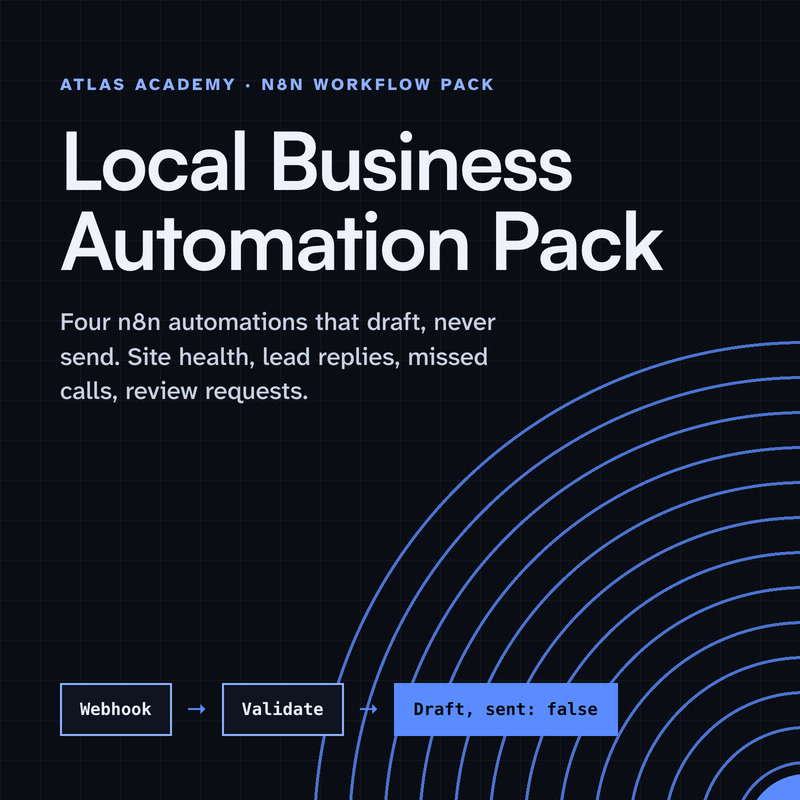
Four n8n automations for a local business that prepare drafts for you to check and send yourself: a site health check, a lead-form reply, a missed-call text-back and a review request, with a guide that explains every node.
- Level
- Some setup: Docker
- Format
- PDF, Files (zip)
- You need
- A computer that can run Docker, about an hour, no programming
Next lesson
Connect Claude to n8n with MCP (MCP Server Trigger, Step by Step)
All lessons in Build a Real Project: Claude + n8n
Lesson script
The lesson's script, line by line. The published video's own lines are not on record here, so the video may differ in places.
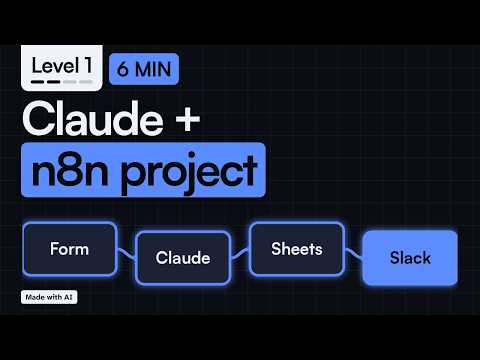
Four pieces. First, a form. n8n's Form Trigger gives you a form with its own web address, and each answer starts the workflow.
Second, Claude. It reads the request and drafts a reply in your style. It never sends anything by itself.
Third, Google Sheets. Every request gets a row, so nothing is lost, and you can look back at every question anyone ever asked.
And fourth, Slack. You get a message with the request and the draft, right where you already work, so you never have to go looking.
Quick quiz. Which piece starts each run? Comment your answer.
B, the form. It's the trigger, so every run starts there.
Who does what? n8n moves the data from step to step, the same way every time. It never improvises. No jazz solos. That's what makes it dependable.
Claude does the one thing that needs language: it reads the question and writes a draft reply, in a friendly, short style we'll set later with a skill.
And you stay in charge. A person approves before any reply leaves. That rule comes first, and we keep it all series.
There are two ways Claude can join. The simple one: n8n calls Claude directly, with its Anthropic nodes.
The other way runs the opposite direction. With MCP, Claude can call your n8n workflow as a tool. That's episode two.
Then we write our own MCP server, and add a Claude skill so every draft follows the same rules.
If you want to build this with me, subscribe, so you catch every episode of the project.
Here's the data one request carries: a name and an email, so we know who to answer.
And the question itself. That's what Claude reads. Three fields is enough to start.
Pause the video and try it. Write down the three fields your form needs,
and one example request to test with. Resume when you have them.
Let's follow one request all the way through. Ana fills in the form and asks if you deliver on weekends. Her answer starts the run.
First, n8n saves her request as a new row in Google Sheets. Saving first means nothing is lost, even if a later step fails.
Then Claude reads her question and drafts a short, friendly reply. It only drafts. It doesn't send anything.
And Slack shows you Ana's question and Claude's draft side by side, so you can check it before anything goes out.
Three safety rules. Anything typed into a form is untrusted. Claude treats it as a request to answer, never as instructions.
Keys and tokens live in n8n Credentials, never in a node field, so they don't end up in a screenshot or an exported file.
And no reply leaves without your approval.
Last quiz. Is text from the form instructions, or something else? Comment.
B. It's untrusted data. Claude answers it, and never obeys it.
Here's the build plan. Episode two connects Claude to n8n with MCP.
Episode three writes our own MCP server.
Episode four adds a Claude skill for the replies.
And episode five tests it, handles errors, and goes live. If you build along, tell me in the comments what your form will ask. See you there.