Go deeper
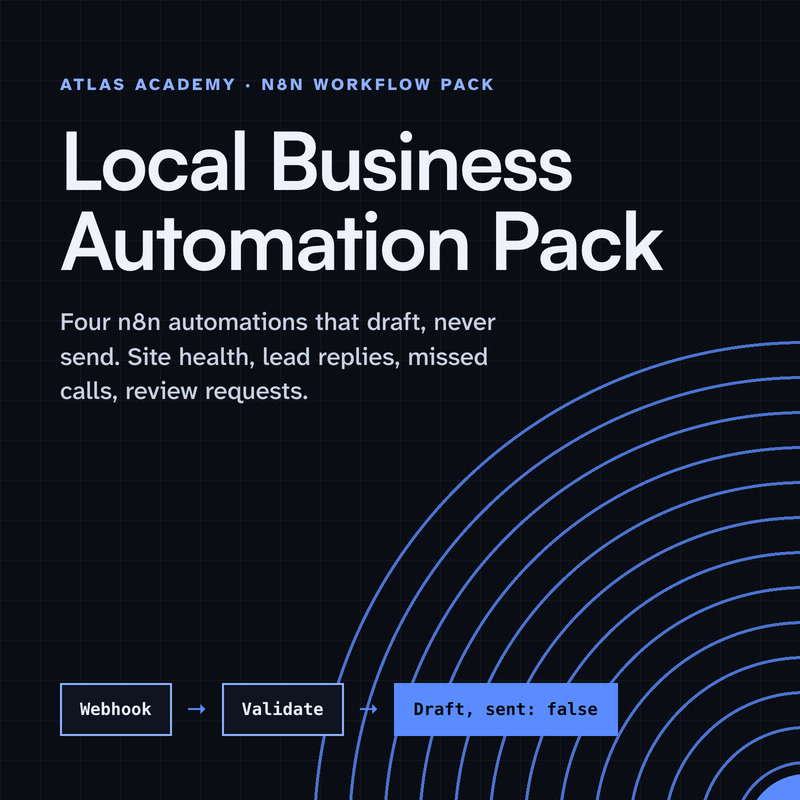
Claude drafts, n8n runs the steps, a person checks: the pack applies that pattern to four everyday business tasks.
Workflow pack
Four n8n automations for a local business that prepare drafts for you to check and send yourself: a site health check, a lead-form reply, a missed-call text-back and a review request, with a guide that explains every node.
- Level
- Some setup: Docker
- Format
- PDF, Files (zip)
- You need
- A computer that can run Docker, about an hour, no programming
Next lesson
Add Email as a Second Channel to Your Claude + n8n Assistant
All lessons in Build a Real Project: Claude + n8n
Lesson script
The lesson's script, line by line. The published video's own lines are not on record here, so the video may differ in places.
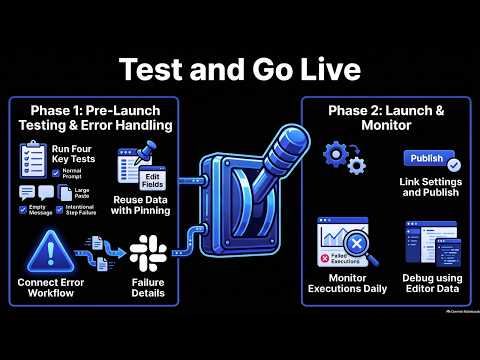
Here's the plan. Test one is the happy path: a normal question. Expect a draft, a new row, and a Slack alert.
Test two, an empty message. The assistant should stop, and tell you, not draft a reply to nothing. If it doesn't, that's a fix to make before going live.
Test three, something odd: a huge paste. The draft should still be short, because our skill says so.
And test four, a step that fails. We'll break the Google Sheets step on purpose, and see who notices.
You don't need to fill in the form again and again. Use an Edit Fields node to make a fake entry, a name and a question.
Or pin the form's real output once. Pinning saves a node's output, so every test reuses the same data.
And don't worry about leaving it in: pinned data is only used while you build, never in production.
Quick quiz. Test two sends an empty message. What does a pass look like? Comment your answer.
B. It stops, and you're told. A good failure is a loud one.
For test four, the assistant needs an error workflow. A separate workflow that starts with the Error Trigger.
When a run fails, it gets the details: the workflow's name, the last node that ran, the error, and a link to that run.
Send those to Slack. One error workflow can watch all your workflows, so build it once. And the error workflow itself doesn't need publishing.
If you're building this assistant with me, subscribe for the last parts.
Open the assistant's settings, and set the error workflow to the one we just made. Save, and the two are linked.
Now publish. Until you do, every edit is a draft. Once published, the form uses its production address, and real runs use this version.
If the button says published, partial, one trigger didn't start. Hover over it to see which, fix it, and publish again.
Pause the video and run your four tests. Write down what each one did. Remember, test four's alert only comes from a real run, not a test click.
When all four behave the way you wrote down, publish the assistant, and resume.
For the first week, open the Executions tab every day. Every real run is there, good or bad. Use the filters to show only the failed ones.
Found a red one? Choose Debug in editor, where your plan has it. n8n copies that run's data into the editor.
Fix the step, and run it again with exactly the data that failed. No waiting for it to happen twice.
Last quiz. You tweak the published assistant. Do real runs use your change right away? Comment.
B, no. Edits stay a draft. Real runs use the published version until you publish again.
Recap. We tested one happy path, and three ways to break it.
Mock or pinned data made testing quick, and never reaches production.
An error workflow tells us in Slack, with a link to the failed run.
And we published, then watched the first runs. Our assistant is live, and you'll know if it trips. Next time: adding email as a second way to reach our assistant.